
You’ve likely noticed a business that remembers your name or preferences on your next visit.
It’s not magic, but customer relationship management in action.

Did you know that businesses using CRM solutions see an average increase of 29% in sales?
This big boost comes from CRM software, making customer interactions smoother.
It lets different departments share important info easily.
By using a CRM system, you can make customers happier, boost sales, and make better decisions.
This tech helps manage your customer relationships well.
It gives you a full view of your interactions.
Understanding CRM Software and Its Importance
Effective customer relationship management is key to business success. CRM software is at the heart of this process.
It helps companies build stronger relationships, simplify processes, increase productivity, and grow revenue.
Definition and Core Functions
CRM software manages and analyzes customer interactions and data. Its core functions include:
- Contact management
- Sales pipeline tracking
- Marketing automation
- Customer service and support
Contact Management Capabilities
One of the primary functions of CRM software is contact management.
It stores customer and prospect contact information in a centralized database.
This makes it easily accessible to sales, marketing, and customer service teams.
Sales Pipeline Tracking
CRM software also enables businesses to track their sales pipeline effectively.
By monitoring the progress of leads and opportunities, sales teams can identify areas for improvement. They can also optimize their sales strategies.
Evolution of Customer Relationship Management Systems
Over the years, CRM systems have evolved significantly.
They have moved from simple contact management tools to complex platforms.
These platforms now integrate sales, marketing, and customer service functions.
Types of CRM Platforms
There are several types of CRM platforms available. Each caters to different business needs:
Operational CRM
Operational CRM focuses on automating sales, marketing, and customer service processes.
Analytical CRM
Analytical CRM is designed to analyze customer data. It provides insights that can inform business decisions.
Collaborative CRM
Collaborative CRM enables different departments to share customer information. It helps them work together more effectively.
Key Benefits of CRM Software for Your Business
CRM software can greatly improve your business by bettering customer relationships, organizing data, and streamlining sales.
It acts as a single source of truth for all company information.
This makes it easy for employees to access customer data from anywhere.
Improved Customer Relationships and Retention
CRM software gives you a 360-degree view of customer interactions.
This helps you offer personalized services and boost customer satisfaction.
You can track customer preferences and feedback, tailoring your marketing and service to meet their needs.
Enhanced Data Organization and Accessibility
CRM software organizes and makes customer data accessible to authorized personnel.
This centralized data management system keeps everyone informed, reducing data duplication and inconsistencies.
Increased Sales and Conversion Rates
CRM software has tools for better sales pipeline management. It analyzes sales data and customer interactions.
This helps you upsell and cross-sell, boosting your conversion rates.
Lead Nurturing Improvements
CRM software supports lead nurturing campaigns. It automates follow-ups and personalizes communication.
This increases the chances of converting leads into customers.
Sales Cycle Optimization
CRM software helps analyze your sales cycle and identify bottlenecks.
It streamlines your sales process. This reduces deal closure time and improves sales performance.
Streamlined Business Processes and Efficiency
CRM software automates routine tasks and provides a clear overview of business processes.
This reduces manual errors and increases efficiency. Your team can then focus on tasks that drive business growth.
| Benefits | Description | Impact |
|---|---|---|
| Improved Customer Relationships | Personalized customer service through data analysis | Higher customer retention rates |
| Enhanced Data Organization | Centralized data management | Reduced data inconsistencies |
| Increased Sales | Effective sales pipeline management | Higher conversion rates |
How to Assess Your Business Needs for CRM
Before picking the right CRM software, you need to evaluate your business needs. This step helps find the best CRM that meets your goals.
Identifying Pain Points in Customer Management
First, look at how you manage customers now.
Find out where you struggle, like tracking interactions or handling leads.
Knowing these problems will show you what CRM features you need.
Determining Required Features and Functionality
After finding your pain points, decide on the features you need.
Think about contact management, sales forecasting, and marketing automation.
Make a list of the essential features for your business.
For example, if you’re a small business, look for something easy to use and scalable.
A study shows CRM can boost sales by 29% on average.
“CRM software is not just a tool, it’s a strategy that can transform your business by improving customer relationships and making processes smoother.”
Setting Clear Objectives for Implementation
It’s important to set clear goals for using CRM software. This means defining what you aim to achieve with it.
Defining Success Metrics
Set measurable goals, like better customer retention or more sales. These goals will help you see if your CRM is working well.
Establishing Timeline Expectations
Make a realistic plan for when you’ll implement your CRM. Include milestones for training, moving data, and full deployment.
| CRM Feature | Importance Level | Implementation Timeline |
|---|---|---|
| Contact Management | High | Week 1-2 |
| Sales Forecasting | Medium | Week 3-4 |
| Marketing Automation | High | Week 5-6 |
Selecting the Best CRM Software for Your Requirements
Finding the right CRM platform for your business needs is a detailed process.
You must think about key features, how it scales, costs, and how it integrates with other systems.
Essential Features to Consider
When picking CRM software, focus on features that boost your customer management. Look for:
Contact Management Tools
Good contact management is key. The software should let you store customer info, track interactions, and manage lists well.
Reporting Capabilities
Being able to analyze customer interactions and sales is important. Make sure the CRM offers customizable reports and real-time data.
Mobile Accessibility
With everyone on the move, having CRM access anywhere is a must. Choose software that lets your team work from anywhere.
| Feature | Importance | Score (1-5) |
|---|---|---|
| Contact Management | High | 5 |
| Reporting Capabilities | Medium | 4 |
| Mobile Accessibility | High | 5 |
Scalability and Growth
Choose a CRM that grows with your business. It should adapt to your changing needs.
Budget and ROI
Knowing the CRM’s cost is vital. Do a thorough ROI analysis to see if it fits your budget and offers good value.
Integration with Other Systems
Make sure the CRM works well with your current tools. This includes marketing, email, and accounting software.
Top CRM Solutions in the Market
In today’s fast-paced business world, the right CRM solution is key to success.
There are many CRM options out there.
They range from big platforms for large companies to tools for small businesses and specific industries.
Enterprise-Level CRM Platforms
Big companies need CRM platforms that can handle complex tasks.
These platforms have advanced tools for managing customer relationships and sales.
Salesforce
Salesforce is a top CRM platform. It has tools for sales, marketing, and customer service.
Its ability to grow and customize makes it a favorite among big businesses.
Microsoft Dynamics 365
Microsoft Dynamics 365 is a strong CRM solution. It works well with other Microsoft products.
It has great features for sales, customer service, and field service management.
CRM Software for Small Business
Small businesses can find CRM software made just for them. These options are often cheaper and easier to set up.
HubSpot CRM
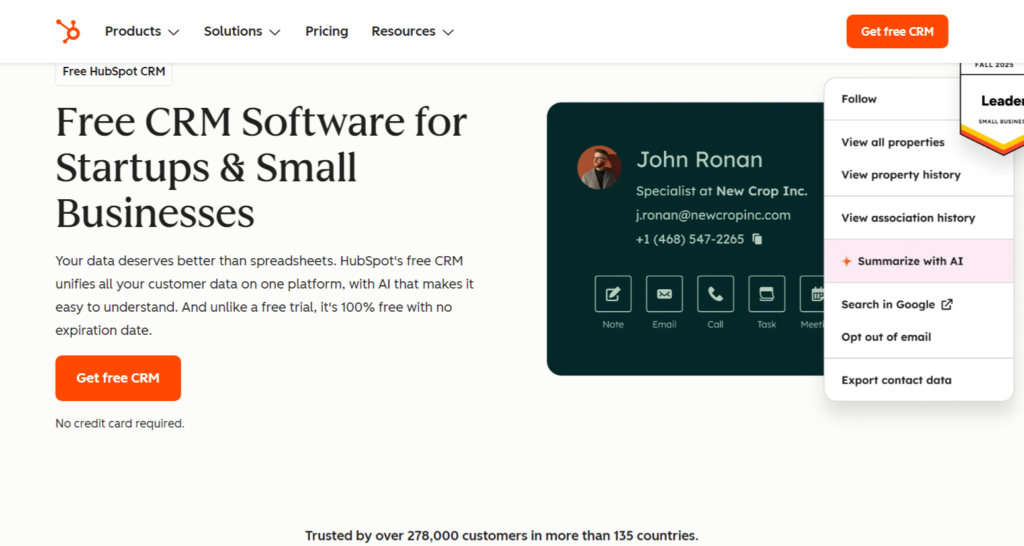
HubSpot CRM has a free version for small businesses. It’s easy to use and works well with other HubSpot tools.
Zoho CRM
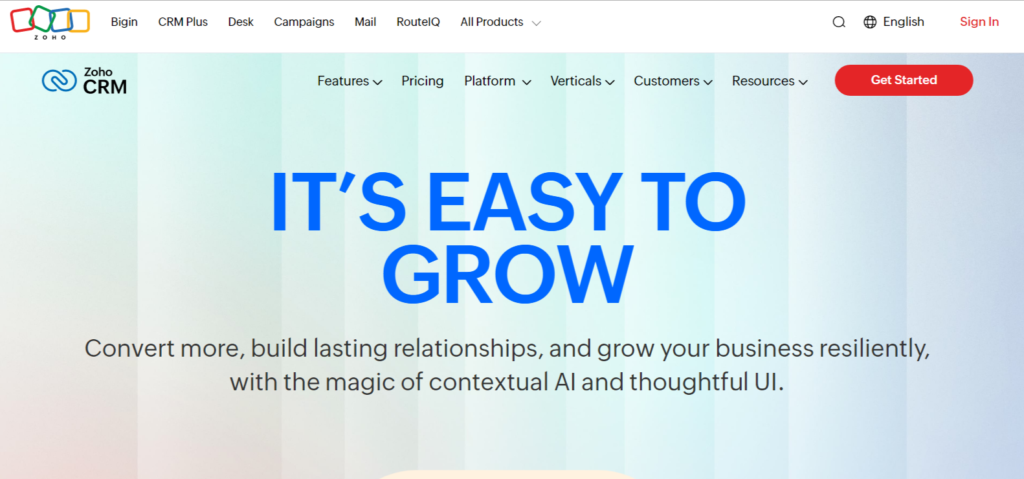
Zoho CRM is a hit with small businesses. It offers customization and works with many third-party apps.
Industry-Specific CRM Tools
Some CRM solutions are made for specific industries. They meet the unique needs and challenges of those fields.
| Industry | CRM Solution | Key Features |
|---|---|---|
| Real Estate | Real Estate CRM Solutions | Lead tracking, client management, transaction management |
| Healthcare | Healthcare CRM Systems | Patient management, appointment scheduling, and communication tools |
Choosing the right CRM solution depends on your business needs, size, and industry.
Knowing the different options helps you make a choice that improves your customer relationships and business efficiency.
Step-by-Step CRM Implementation Guide
To get the most out of your CRM software, a well-planned implementation is key.
This involves several strategic steps. These steps ensure a smooth transition and optimal use of the system.
Planning Your Implementation Strategy
A successful CRM implementation starts with a solid plan.
This includes defining your objectives. It also involves understanding how the CRM will meet your business needs.
Creating an Implementation Team
Assemble a team with representatives from various departments to oversee the implementation process. This team should include IT professionals, sales and marketing representatives, and management.
This ensures a complete approach.
Developing a Project Timeline
Create a detailed timeline that outlines each phase of the implementation. Include milestones and deadlines.
This helps in tracking progress and staying on schedule.
Data Migration Process
Data migration is a critical step in CRM implementation. It involves transferring your existing data into the new system.
Cleaning Existing Data
Before migrating data, it’s essential to clean your existing data. Remove duplicates, correct errors, and ensure data quality.
Mapping Fields and Relationships
Map your existing data fields to the corresponding fields in the new CRM system. This ensures that data is correctly placed.
It also maintains relationships between data entities.

User Training and Adoption Strategies
Training your users is key to the successful adoption of the CRM system.
Develop a training program that covers all aspects of the system.
Testing and Quality Assurance
Before going live, conduct thorough testing.
Ensure that the system works as expected. This includes testing data migration, workflows, and user interfaces.
As “CRM implementation is not just about technology; it’s about people and processes”, a well-planned implementation will help you reap the benefits of CRM software.
You’ll see improved customer relationships and increased sales.
Customizing Your CRM System for Optimal Performance
To get the most out of your CRM software, you need a custom approach. Tailoring your CRM system to your business can really boost its performance.
Setting Up Custom Fields and Modules
First, set up custom fields and modules that match your business.
This means figuring out what data you need to track and creating fields for it.
For example, in real estate, you might have fields for property type, location, and price.
Creating Automated Workflows and Triggers
Automating workflows and triggers can make your sales and marketing smoother.
These automations help keep follow-ups on track and nurture leads well.
For instance, you can set up a workflow to send a follow-up email to unresponsive leads within 24 hours.
Designing Reports and Dashboards
Good reporting and dashboards are key to smart decisions.
Your CRM should let you create reports and dashboards that show your sales and customer engagement.
Sales Performance Metrics
Keeping an eye on sales performance is essential. You can track things like pipeline growth, conversion rates, and average deal size. These metrics help you see where to improve and fine-tune your sales plan.
Customer Engagement Analytics
It’s also important to know how customers interact with your brand.
You can look at metrics like email open rates, social media interactions, and feedback.
This info helps you tweak your marketing and boost customer happiness.
Customizing your CRM system can unlock its full power and help your business grow.
The secret is to make it fit your specific needs and keep tweaking it as you go.
How to Integrate CRM Software with Your Business Tools
Integrating CRM software with other business tools is key to better operations.
It automates tasks, makes data consistent, and boosts business performance.
Email and Communication Platforms
Linking CRM with email and communication tools boosts team productivity. It makes communication smooth and follow-ups easy.
Gmail and Outlook Integration
Many CRM systems work well with Gmail and Outlook. This lets you see emails in your CRM and track customer interactions.
VoIP and Call Center Integration
VoIP and call center links make customer service better. You can log calls, record them, and dial with just a click from your CRM.
Marketing Automation Tools
CRM and marketing automation tools work well together.
They help align sales and marketing, making campaigns more effective and lead generation better.
Accounting and ERP Systems
CRM and accounting or ERP systems keep data in sync. This reduces errors and makes financial reports more accurate.
E-commerce Platforms
CRM and e-commerce integration helps manage orders and sales. It also lets you analyze customer behavior, improving customer service.
| Business Tool | Integration Benefits |
|---|---|
| Email and Communication Platforms | Enhanced productivity, seamless communication |
| Marketing Automation Tools | Synchronized sales and marketing efforts |
| Accounting and ERP Systems | Data synchronization, improved financial reporting |
| E-commerce Platforms | Personalized customer service, sales tracking |
Maximizing Efficiency Through CRM Automation
CRM automation helps businesses work more efficiently. It uses software to handle repetitive tasks. This lets your team focus on important tasks.
Lead Scoring and Assignment Automation
Lead scoring and assignment automation make qualifying leads easier.
They send the right leads to the right sales reps. This way, important leads get attention fast, boosting sales.
Follow-up Sequence Configuration
Setting up follow-up sequences helps nurture leads.
It sends targeted messages to keep leads engaged. This keeps the sales process moving smoothly.

Task Management and Reminder Systems
CRM automation makes task management easier. It assigns tasks and reminds of follow-ups.
This keeps your sales team on schedule and meeting deadlines.
Email Template Creation and Deployment
Email templates in your CRM ensure consistent branding. Automated emails can be sent based on customer actions.
This keeps your messaging on point.
| CRM Automation Feature | Benefit |
|---|---|
| Lead Scoring and Assignment | Improved lead qualification and faster response times |
| Follow-up Sequences | Enhanced lead nurturing and engagement |
| Task Management | Streamlined sales processes and reduced missed follow-ups |
| Email Templates | Consistent branding and efficient email marketing |
Leveraging Cloud-Based CRM Software Advantages
In today’s fast-paced business world, cloud-based CRM solutions are a game-changer.
They bring flexibility and accessibility to your fingertips.
By using cloud-based CRM software, you can greatly improve your business operations.
Accessibility and Remote Work Benefits
Cloud-based CRM software lets you access customer data and sales tools from anywhere.
This flexibility is key for remote teams, helping them work efficiently and stay connected.
With cloud-based CRM, you can:
- Access customer information in real-time
- Manage sales pipelines more effectively
- Collaborate with team members across different locations
Automatic Updates and Maintenance
Cloud-based CRM software means no more manual updates and maintenance.
The cloud provider handles updates, keeping your system current and secure.
Data Security and Compliance Features
Cloud-based CRM solutions come with strong data security features.
These include encryption, backups, and access controls.
They ensure your customer data is safe and meets regulatory standards.
Subscription Models and Cost Management
Cloud-based CRM software often uses a subscription model.
This helps you manage costs better.
You can adjust your subscription based on your business needs, making it a cost-effective solution.
Troubleshooting Common CRM Software Issues
CRM software brings many benefits, but it faces common challenges.
These hurdles can affect its success. As you work with CRM, you’ll find several obstacles.
Addressing User Adoption Challenges
User adoption is key to CRM success. But, change resistance and poor training can slow it down.
Resistance to Change
To beat resistance, explain CRM’s benefits to your team. Involve them in the setup process.
Training Reinforcement Strategies
Hold regular training to boost your team’s CRM skills. Workshops can help a lot.
Resolving Data Synchronization Problems
Data sync is essential for CRM’s accuracy and timeliness.
| Issue | Solution |
|---|---|
| Data inconsistency | Implement data validation rules |
| Sync errors | Check API connectivity and settings |
Performance Optimization Tips
Keep an eye on system performance. Fix issues fast to avoid downtime and keep productivity high.
Managing System Customizations
Managing CRM customizations well is important. It keeps the system in line with your business needs.
By tackling CRM issues early, you can get the most out of your CRM.
This leads to business success.
Conclusion
Effective customer relationship management is key to business growth. CRM software helps manage customer interactions and streamline processes.
It also supports making data-driven decisions.
Choosing the right CRM solution is important. It can improve customer relationships, boost sales, and increase efficiency.
By understanding your business needs, you can pick the best CRM for your company.
Implementing CRM software needs careful planning and customization.
But the benefits are worth it. The right CRM system automates tasks, provides valuable insights, and drives success.
As you implement CRM, keep improving and optimizing it. This ensures it meets your changing business needs.
Remember,
CRM software is a powerful tool for staying competitive and growing revenue.
CRM software is vital for businesses of all sizes.
It helps achieve your goals and build strong customer relationships.
Whether you’re small or large, CRM is essential for success.